
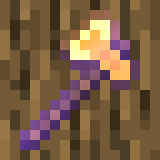

Instalar Timber: Enchantment addon en GDLauncher
- Abre GDLauncher y elige (o crea) la instancia a la que quieres añadir Timber: Enchantment addon.
- Abre la pestaña Addons y haz clic en Add Addons.
- Pega el ID de instalación rápida
#timber-strike-enchantment, selecciona Timber: Enchantment addon y haz clic en Download. GDLauncher se encarga de las dependencias y la compatibilidad de versiones automáticamente. - Pulsa Play y listo.
Antes de instalar
Asegúrate de que tu versión de Minecraft coincide con lo que Timber: Enchantment addon admite. En la última versión se admiten 1.21.10. Timber: Enchantment addon admite varios loaders (Fabric, Forge, NeoForge, Quilt); elige el que coincida con tus otros mods. GDLauncher comprueba la compatibilidad por ti y no instalará nada incompatible con la instancia elegida.
Preguntas frecuentes
¿Es Timber: Enchantment addon gratis?
Sí. Timber: Enchantment addon se puede descargar e instalar gratis a través de GDLauncher. El propio GDLauncher también es gratuito y sin anuncios.
¿Con qué versiones de Minecraft es compatible Timber: Enchantment addon?
Timber: Enchantment addon es compatible con Minecraft 1.21.10. GDLauncher elegirá automáticamente una versión compatible al instalarlo.
¿Timber: Enchantment addon requiere Forge o Fabric?
Timber: Enchantment addon es compatible con Fabric, Forge, NeoForge, Quilt. Elige el loader que coincida con tus otros mods o deja que GDLauncher te configure una nueva instancia.
¿Cómo instalo Timber: Enchantment addon?
Abre GDLauncher, ve a la pestaña Addons de tu instancia, haz clic en Add Addons y pega el ID de instalación rápida #timber-strike-enchantment. GDLauncher se encarga automáticamente de las dependencias y de la versión correcta de Minecraft.
¿Quién creó Timber: Enchantment addon?
Timber: Enchantment addon fue creado por o-Peepo. El proyecto completo se encuentra en Modrinth (https://modrinth.com/datapack/timber-strike-enchantment).
¿Necesitas ayuda?
Lee nuestra guía de resolución de problemas, consulta la sección de guías o únete a la comunidad de Discord de GDLauncher.