
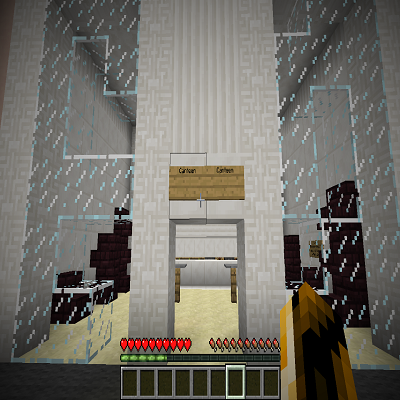

Escape The School を GDLauncher でインストール
- GDLauncher を開き、Escape The School を追加したいインスタンスを選ぶか、新しく作成します。
- Addons タブを開き、Add Addons をクリックします。
- クイックインストール ID
#escape-the-schoolを貼り付け、Escape The School を選択して Download をクリックします。依存関係とバージョン整合性は GDLauncher が自動で処理します。 - Play を押して完了です。
インストール前に
お使いの Minecraft バージョンが Escape The School に対応しているか確認してください。 最新リリース時点では 1.7.10 に対応しています。 GDLauncher が互換性をチェックし、選択したインスタンスと合わないものはインストールしません。
よくある質問
Escape The School は無料ですか?
はい。Escape The School は GDLauncher を通じて無料でダウンロード・インストールできます。GDLauncher 自体も無料で広告がありません。
Escape The School はどの Minecraft バージョンに対応していますか?
Escape The School は Minecraft 1.7.10 に対応しています。GDLauncher がインストール時に互換性のあるバージョンを自動選択します。
Escape The School には Forge と Fabric のどちらが必要ですか?
Escape The School の対応ローダーは CurseForge のページで確認してください。アドオンを選ぶと、GDLauncher が必要なローダーを自動でインストールします。
Escape The School はどうやってインストールしますか?
GDLauncher を開き、対象インスタンスの「Addons」タブから「Add Addons」をクリックし、クイックインストール ID #escape-the-school を貼り付けます。依存関係や対応 Minecraft バージョンは自動で処理されます。
Escape The School は誰が作りましたか?
Escape The School は _ForgeUser19368678 によって作られました。プロジェクトの詳細は CurseForge (https://www.curseforge.com/minecraft/worlds/escape-the-school) でご覧いただけます。
お困りですか?
トラブルシューティングガイドを読むか、ガイドセクションを確認するか、GDLauncher の Discord コミュニティに参加してください。